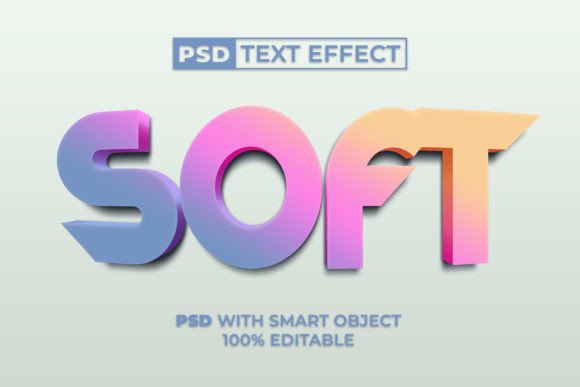
Soft Colorful Text Effect 3D Style for Photoshop
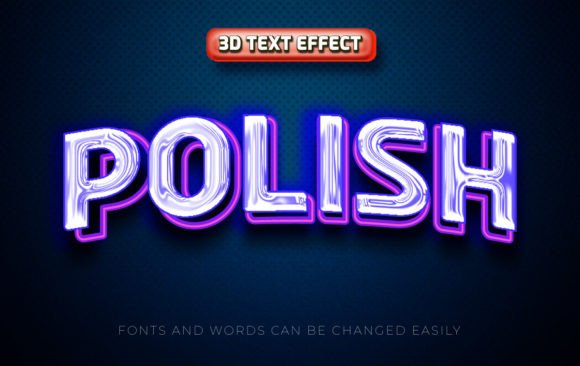
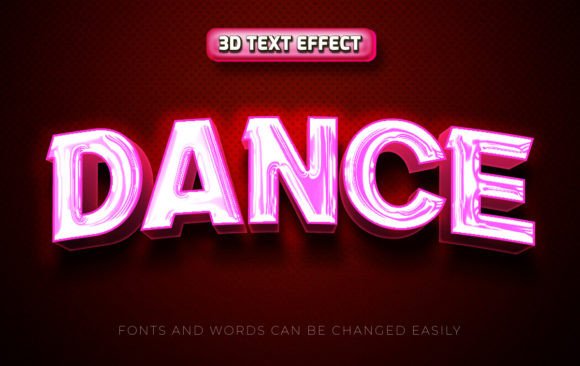
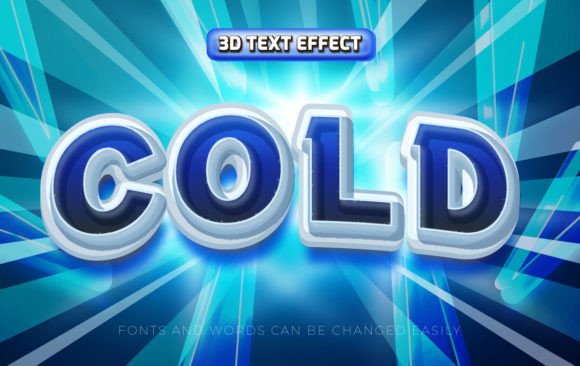
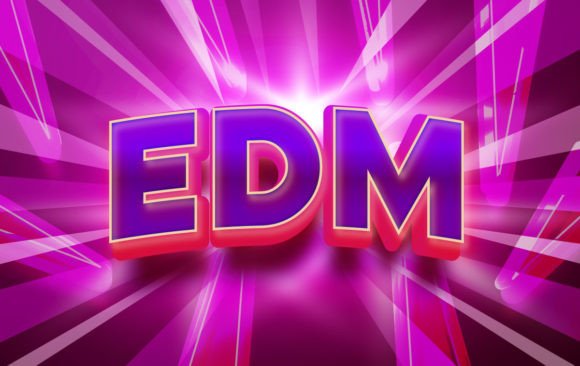
The Soft Colorful Text Effect 3D Style is a versatile and visually appealing design resource that allows users to create eye-catching text and logo designs with minimal effort. This effect combines soft, vibrant colors with a 3D texture, offering a modern aesthetic that can enhance a wide range of creative projects. Whether you're working on digital marketing materials, social media content, or personal branding, this tool provides an efficient way to elevate your visual output.
What sets this text effect apart is its use of a Smart Object in Adobe Photoshop. This feature enables users to edit the text easily without compromising the quality of the design. Unlike traditional fonts, which may limit customization, the Smart Object approach offers greater flexibility, allowing for quick adjustments and seamless integration into various design workflows.
Key Features and Benefits
The Soft Colorful Text Effect 3D Style comes with several features that make it a valuable addition to any designer's toolkit. One of the most notable aspects is its ease of use. With just a few clicks, users can replace the text within the Smart Object, making it ideal for those who want to produce professional results without advanced technical skills.
- PSD File and JPEG File: The design is provided in both PSD and JPEG formats, giving users the option to work with layers or use the final image directly.
- Smart Object: This feature ensures that the text remains editable, allowing for easy modifications without affecting the overall design integrity.
- 100 Editable Elements: Users have access to multiple customizable elements, making it possible to tailor the design to specific project needs.
- No Skill Required: Even beginners can apply this effect with minimal effort, thanks to its intuitive interface and straightforward setup.
- Free Font Used: The design uses a free font, reducing costs and ensuring accessibility for all users.
- Readme.txt File: A detailed guide is included to help users navigate the file structure and understand how to customize the design.
Practical Applications and Real-World Use
This text effect is particularly useful for professionals and creatives looking to add a dynamic touch to their work. Marketers can use it to create engaging social media posts, while entrepreneurs might find it helpful for branding materials such as logos, banners, and promotional graphics. Bloggers and publishers can also benefit by incorporating this effect into their website headers or featured images to attract more attention.
In real-world scenarios, the Soft Colorful Text Effect 3D Style performs consistently well across different platforms and devices. Its high-quality rendering ensures that the design looks sharp and clear, whether viewed on a computer screen or a mobile device. The soft color palette adds a sense of warmth and elegance, making it suitable for a variety of industries, from fashion and lifestyle to technology and education.
Quality, Usability, and Flexibility
The quality of the Soft Colorful Text Effect 3D Style is impressive, with smooth gradients and realistic 3D textures that add depth and dimension to the text. The design is consistent in its presentation, maintaining a cohesive look across different applications. This reliability makes it a trustworthy choice for users who need dependable results.
Usability is another strong point. The Smart Object functionality simplifies the editing process, allowing users to update the text quickly without having to recreate the entire design. This level of flexibility is especially beneficial for projects that require frequent changes or updates. Additionally, the absence of complex steps means that even those with limited experience in Photoshop can achieve professional-looking results.
Who Benefits Most from This Tool?
The Soft Colorful Text Effect 3D Style is ideal for a wide range of users, including graphic designers, small business owners, and digital marketers. It is particularly useful for individuals who need to produce high-quality visuals on a regular basis but may not have the time or resources to invest in custom design work. Freelancers and creatives can also benefit by using this tool to add unique elements to their portfolios or client projects.
For educators and students, this effect can serve as a practical example of how to use Smart Objects and 3D textures in Photoshop. It provides a hands-on learning opportunity that can help improve technical skills and creative confidence. Similarly, hobbyists and enthusiasts can explore the possibilities of this tool to experiment with different styles and effects.
Limitations and Considerations
While the Soft Colorful Text Effect 3D Style offers many advantages, it is important to consider its limitations. For instance, the design is pre-rendered, meaning that users cannot alter the 3D lighting or shadow effects beyond what is already included. This may be a drawback for those who want complete control over every aspect of the design.
Additionally, the effectiveness of the text effect may vary depending on the software version and system specifications. Users should ensure that they are working with a compatible version of Photoshop to avoid potential issues. Despite these considerations, the overall value of this tool remains high, especially for those seeking a fast and reliable solution for text and logo design.
Final Thoughts
The Soft Colorful Text Effect 3D Style is a practical and efficient resource for anyone looking to enhance their design work with a modern, colorful aesthetic. Its combination of ease of use, flexibility, and high-quality output makes it a valuable asset for professionals and creatives alike. Whether you're working on a personal project or a client assignment, this tool offers a simple yet effective way to bring your ideas to life.
By leveraging the power of Smart Objects and a carefully crafted 3D style, this text effect provides a balance between creativity and functionality. It is a great choice for those who want to save time without sacrificing visual appeal. As with any design tool, it is best suited for users who understand their workflow and know how to integrate such assets effectively.